

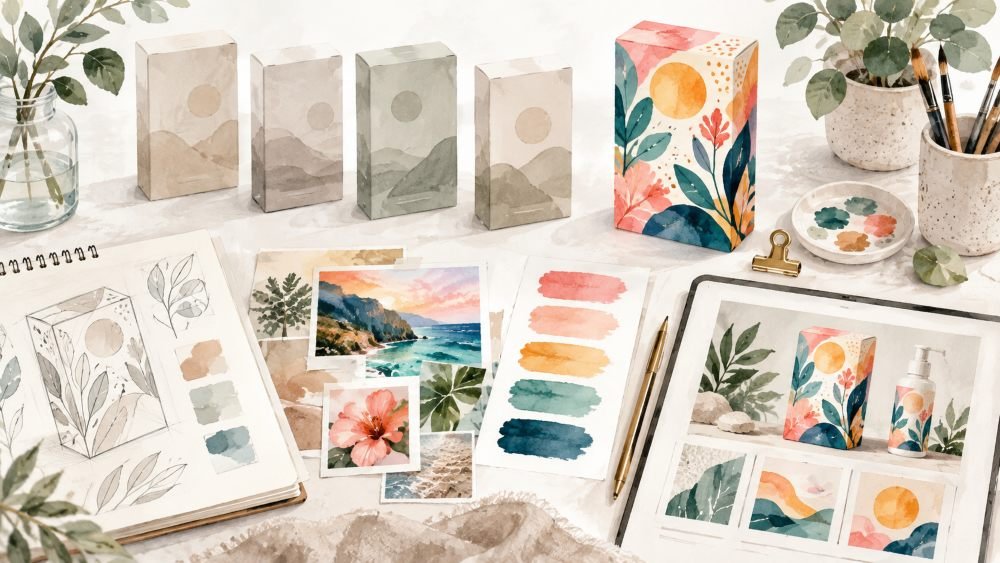
Brands battle for attention in crowded social feeds, websites, and advertising channels. A recognizable visual identity aids in recalling a brand more rapidly. Clear graphics also ensure that campaigns are not “one size fits all. Pippit assists in taking creative ideas and making them into tidy and polished marketing videos that can be edited. Strong differentiation is a mix of original direction, consistency, composition, and brand relevance.
What Makes a Video Visual Style DistinctiveDevelop a Recognizable Creative DirectionEnhance Audio for More Immersive Marketing VideosSteps to Differentiate From Competitors Using Seedance 2.5 Unique Visual StyleStep 1: Create a Distinct Visual DirectionStep 2: Develop the Standout VisualStep 3: Strengthen Your Competitive EdgePlan Spatial References for More Distinctive ScenesBuild a Consistent Visual Identity Across CampaignsCreate Distinctive Product Presentation TechniquesConclusion
What Makes a Video Visual Style Distinctive

The composition, lighting, camera motion, setting, colour, texture and tempo are all unique to a visual style. The combination of these elements forms a visual language that is recognizable throughout various campaign elements. An AI video generator can delve into these factors at an early stage of the creative process. But when you throw in some unique visuals, that usually isn’t enough to make for meaningful differentiation. The way you set up your product may draw in an odd interest but not help the product message. However, repetition of creative can lead to a build-up of recognition over time. Regular lighting, camera movement, textures, and framing can become campaign hallmarks. With Pippit, you can further develop these components into marketing content that can be edited. The most powerful visual brand is always one that is related to the audience’s expectations and the brand’s purpose.
Develop a Recognizable Creative Direction
Multiple campaign videos should be created with a clear creative direction. Create desired settings, camera movements, lighting, materials, and movement. Set composition guidelines that are flexible and can be applied to a variety of products and formats. Select references that convey mood but do not mimic another brand’s identity. A good framework can outline the visual atmosphere, framing preferences, motion style, and environmental detail. Make sure to keep this framework short enough to be used throughout the content creation process. Pippit can help apply the same creative direction across the different marketing assets. Flexibility is also important since different kinds of social videos, ads, and product pages require different compositions. Production should be consistent and not make every campaign equal.
Enhance Audio for More Immersive Marketing Videos
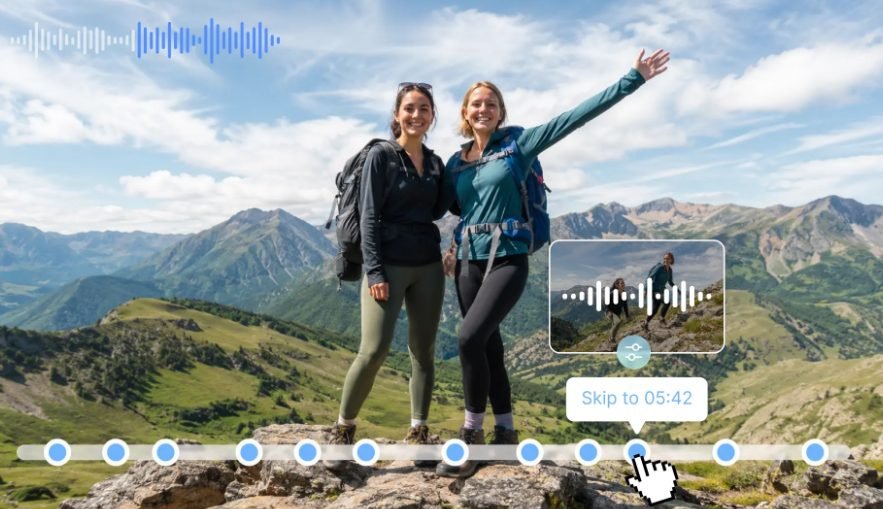
SeedAudio 2.0 can help bolster marketing videos by creating dialogue, ambience, sound effects, and music all in a single workflow. It has 4 modes: Text, Audio, Video, and Audio + Video, which provide flexibility for creators to suit their campaign needs. Timestamping allows you to schedule dialogue, effects, and musical cues when they should happen, and individual tracks make it easier to polish individual audio layers. Consistent voice controls can also help keep speaker characteristics consistent. These capabilities can be used to support unique visuals for product campaigns and sync up with a coordinated audio mix, making the final video more cohesive, engaging, and aligned with the creative direction.
Steps to Differentiate From Competitors Using Seedance 2.5 Unique Visual Style
Step 1: Create a Distinct Visual Direction
1. Sign up for Pippit with your Google, TikTok, or Facebook account information.
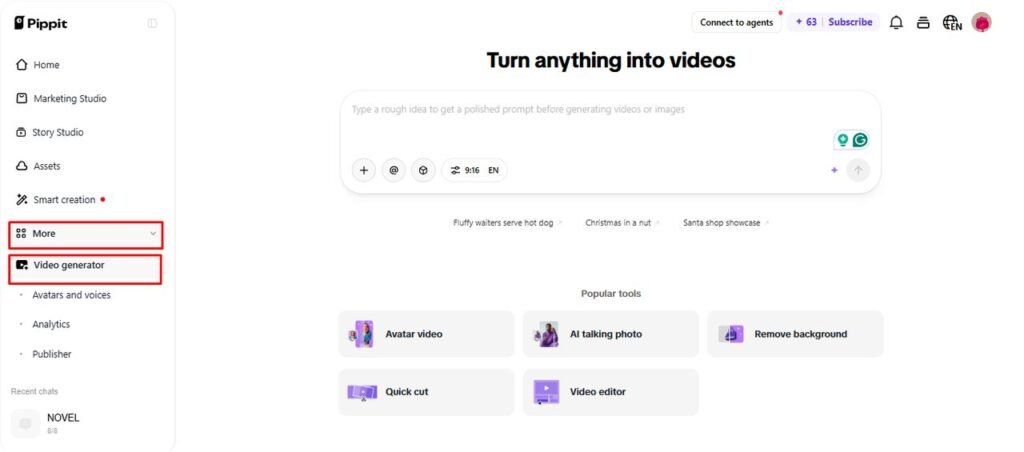
2. From the left vertical menu bar, open the “More” tab and click “Video generator”.
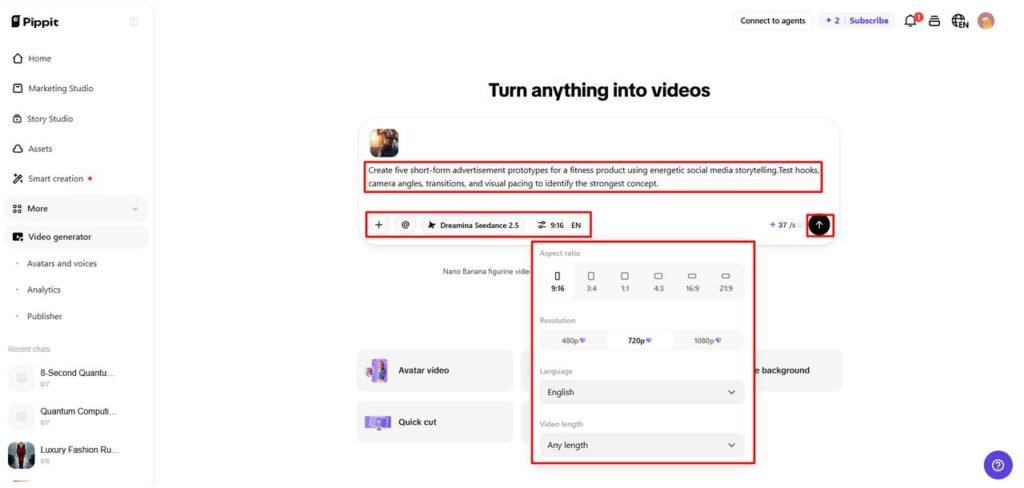
3. Select an AI model such as “Dreamina Seedance 2.5” to develop your distinctive video concept.
4. Enter a detailed text prompt describing the unique visual style, scenes, colors, mood, product presentation, and creative direction you want.
5. Select the video length, language, subtitles, and aspect ratio for your intended platform.
6. Click “+” to upload reference images or videos from your device, phone, Dropbox, or a link. You can also choose assets if you do not have reference media.
7. Once your visual direction and other settings are complete, click “Generate”.
Step 2: Develop the Standout Visual
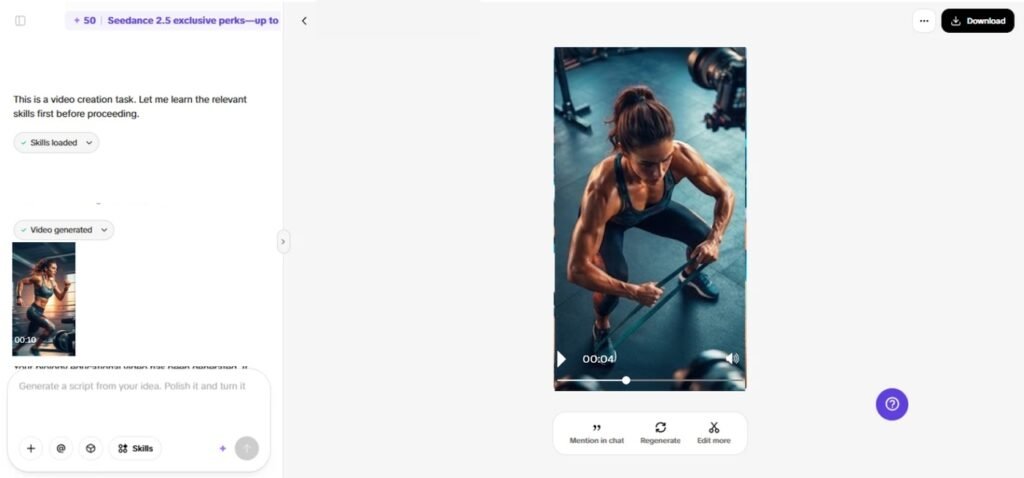
1. After clicking “Generate”, Pippit’s AI video generator creates the video using your text prompt and reference media.
2. The AI takes care of transitions, pacing, captions, avatars, voice, lyrics, and visual enhancements.
3. Review the video draft and check whether its visual treatment clearly stands apart from competing content.
Step 3: Strengthen Your Competitive Edge
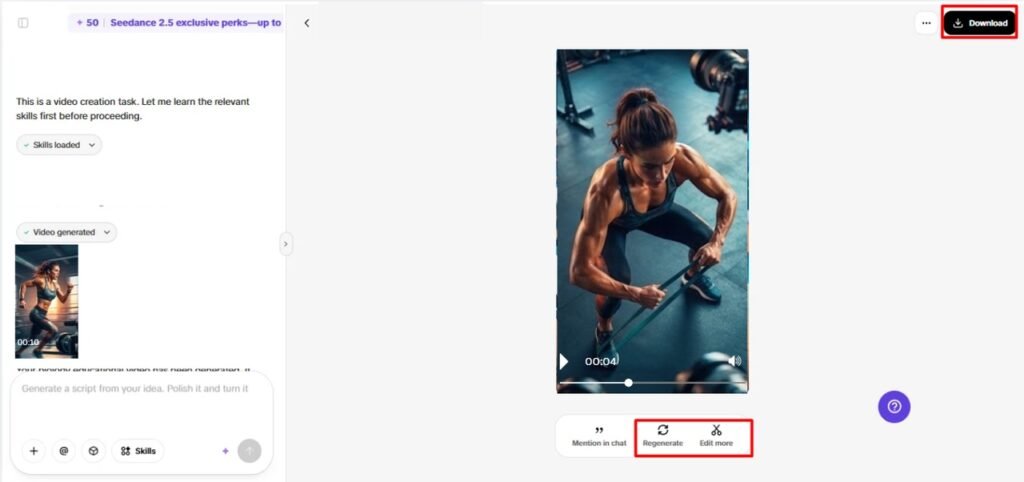
1. Click the “Download” tab in the top right corner to save the video as it is. If you want to explore another creative direction, click “Regenerate”. To make further changes, select “Edit more” below the video to open the Pippit editing interface.
2. Customize captions manually, add text, and adjust size, color, alignment, filters, and effects to reinforce the visual identity.
3. Add background music, remove backgrounds, and fine-tune the visuals so the final video feels more distinctive.
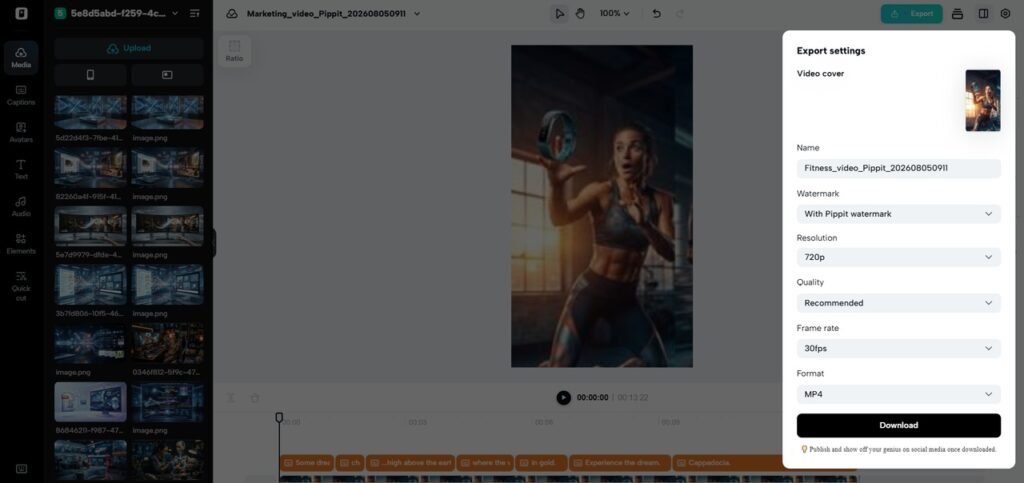
4. Once the video is ready, click “Export” in the top right corner.
5. Select “Publish” to post directly to TikTok, Instagram, or Facebook, or 5. click “Download” to save the final video with your preferred format, resolution, frame rate, and quality.
Plan Spatial References for More Distinctive Scenes
Seeworld is a more comprehensive concept of visual production which emphasizes 3D environments, spatial relationships and the structure of a scene instead of individual images. This view can be useful for considering the interplay between products, characters, objects, backgrounds, and angle of view in a campaign scene. Spatial planning can help to determine composition prior to final video production, creating unique marketing content. Object scale, foreground and background position, camera position, and the depth of the environment can be taken into account when creating a visual concept. Pippit’s 3D Director Studio offers a practical workflow to explore these ideas and make planned spatial references more transparent when creating video.
Build a Consistent Visual Identity Across Campaigns
Consistency aids in helping audiences identify campaigns prior to reading captions or seeing logos. Reapply chosen principles in a variety of products with some creative liberty. Recurring visual signals can be set up through lighting, composition, behavior of the camera, and environmental cues. During editing, Pippit can normalize captions, text treatments, effects, and supporting elements. Story Studio can be used for campaigns that need multiple scenes to be connected or for longer stories: planned characters, places, sequences, and visual relationships for connected scenes. Variations should maintain the attributes that make the campaign recognizable. But each video should be for its respective product and its respective viewers.
Create Distinctive Product Presentation Techniques
Ensure product presentation and quality control to make demonstrations more unique. Consider these techniques:
- Include close-ups of texture, material, package, and features.
- Display products in appropriate settings to support their functions.
- Well structured with opening, development and closing moments.
- Emphasize key details through purposeful camera movement and effects.
- Conduct a memorable ending that bolsters campaign identity.
- Review accuracy, typography, composition, lighting, movement and continuity.
- Eliminate general or too-similar ideas, and regenerate weak variations.
- Critically compare a number of versions and choose the most effective mix of originality and relevance.
Pippit editing tools enable the fine-tuning of timing, text, backgrounds, music, and effects without the need to rebuild successful assets.
Conclusion
Unique marketing videos start with a purposeful creative thought, not random video exploration. Every scene created has a recognizable brand identity thanks to clear direction. Creative possibilities are extended with controlled camera movement, references, timestamps, object placement, and realistic visuals. Pippit helps to refine those ideas into shiny, ready-to-edit campaign materials. The key to meaningful differentiation is original thinking and consistent implementation.